Audiophile Music Player for macOS

Bit-perfect audiophile music
player for macOS.

Exclusive DAC access, native DSD, and a full effects chain — and none of it touches the signal unless you ask. Native SwiftUI, smooth at 50,000 tracks.

Download Free Trial 30-day full trial — no account, no card · One-time $59.95 · all 1.x updates included · macOS 26+ $59.95 until September 1 — then $99.95.
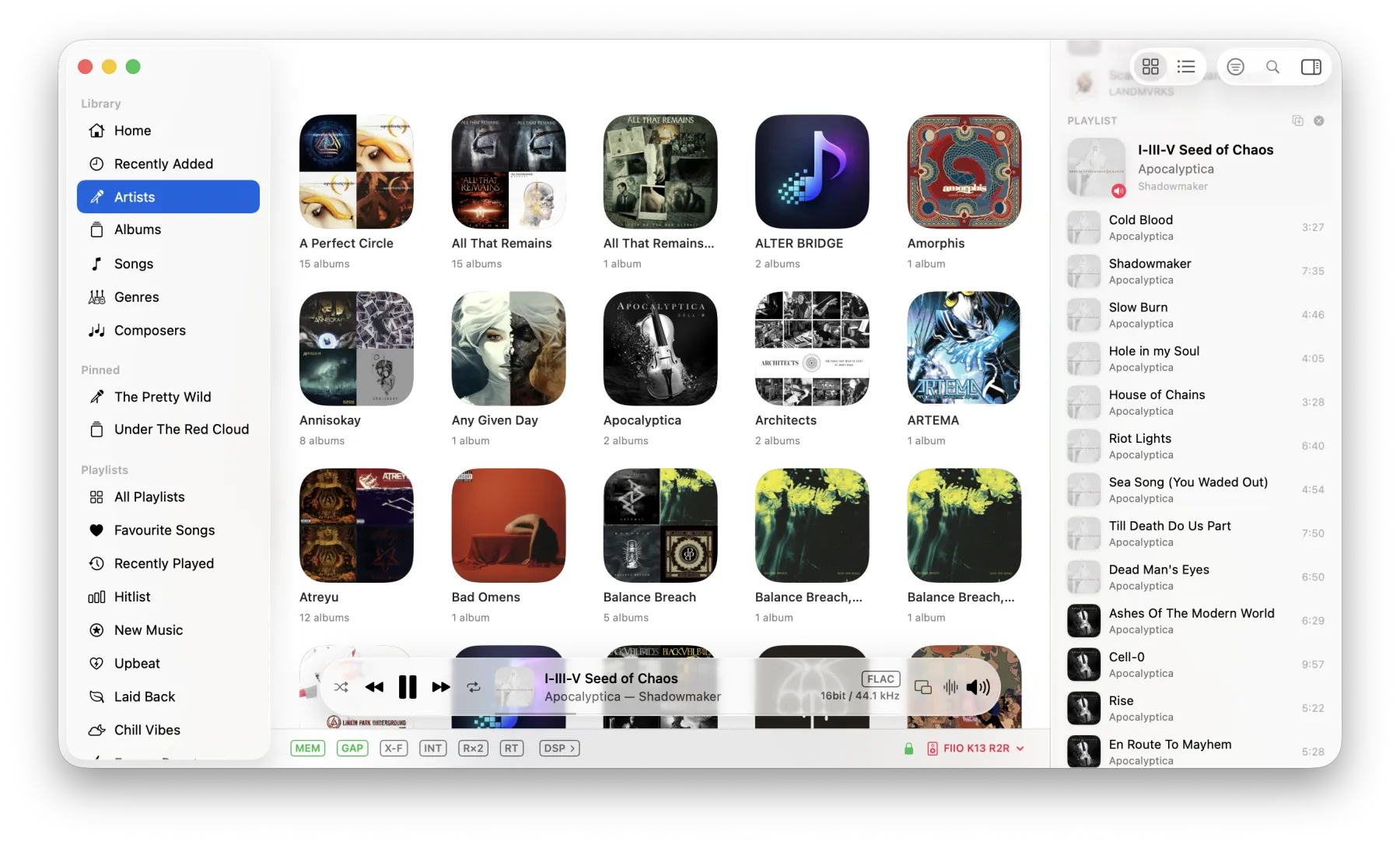
BitMuse main window — now playing, library, and bit-perfect signal path

Everything an audiophile needs.

No compromises, no bloat. Just great sound and a clean interface.

Bit-Perfect Playback

Exclusive mode bypasses the system mixer entirely. Your DAC receives an unaltered, bit-perfect signal.

Native DSD

Play DSD files the way they were meant to be heard. DSD64 through DSD512, natively.

Parametric EQ

Multi-band equalizer with headphone profiles for 7,000+ models. Fine-tune your sound to perfection.

Room Correction

Load any impulse response — REW, Dirac, a measured speaker or room filter — and BitMuse convolves it in real time. Zero-latency, per-channel, resampled to your DAC.

Gapless Playback

Sample-accurate transitions between tracks. Full CUE sheet support for seamless live albums and DJ mixes.

Synced Lyrics

Karaoke-style lyrics scroll in time with the music. Tap any line to seek. Auto-fetches for your library.

Last.fm Scrobbling

Tracks scrobble as you listen. Now playing updates, love/unlove, offline queue when disconnected.

Smart Autoplay

When your queue ends, BitMuse picks tracks that genuinely sound similar. Not random — intelligent.

Instant Search

Find any track, album, or artist in milliseconds. Type-ahead results across your entire library.

Signal Path

See exactly what happens to your audio at every stage. Know when your playback is truly bit-perfect.

Tag Editor

Edit metadata for single tracks or entire albums at once. Auto-fetch artwork from MusicBrainz.

Listening Stats

Play counts, most played artists, format distribution. A personal dashboard of your listening habits.

Backup & Restore

Export your entire library, playlists, and settings as a single ZIP file. Restore anytime, anywhere.

Multi-Output

Play to several output devices at once. BitMuse builds a private aggregate so your speakers and headphones stay in sync.

Web Remote

Control playback, browse your library, and manage the queue from any phone or browser on your network. No extra app.

Sound Processing

Fix your room.
Tame your headphones.

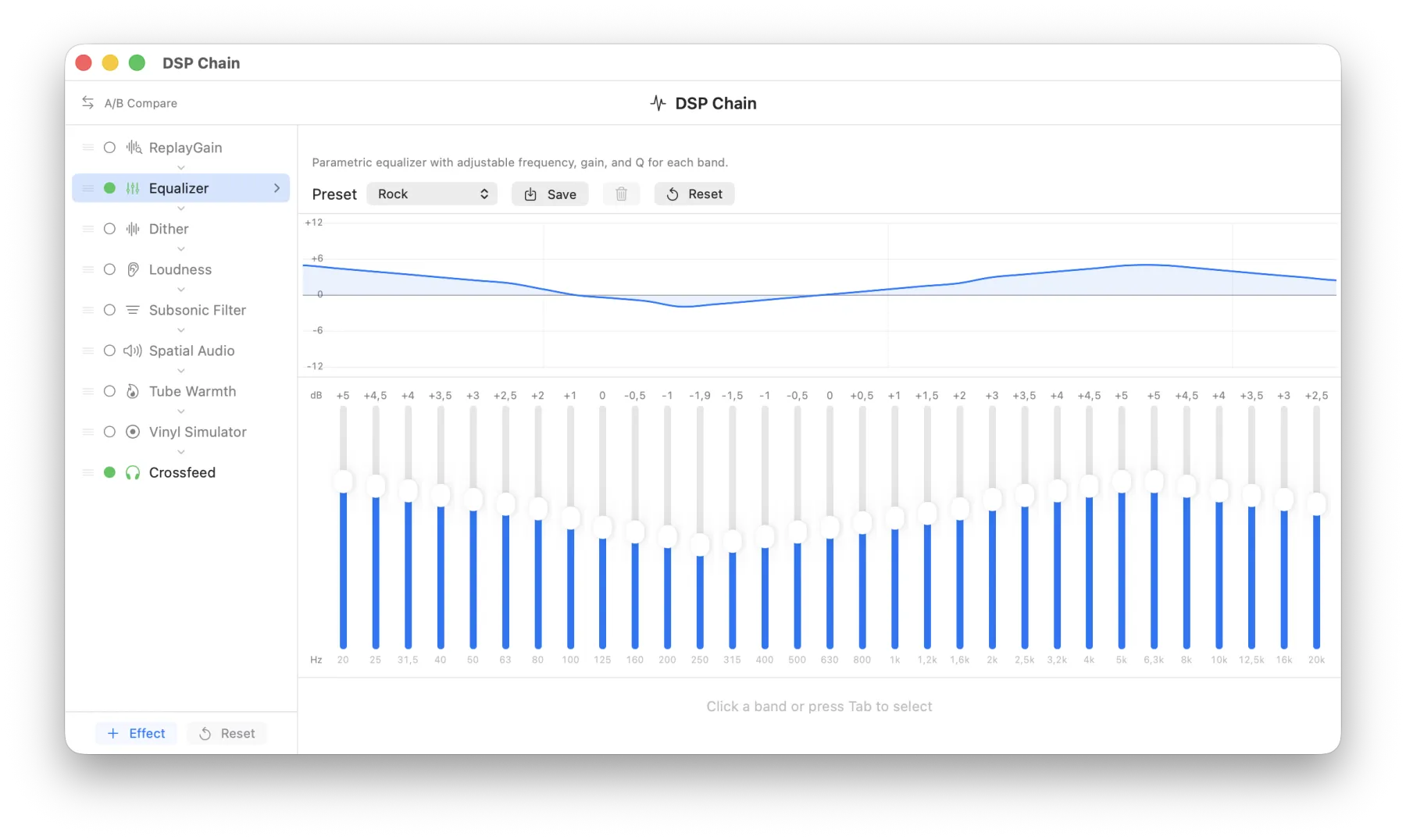
Your room has bass bloat. Your headphones push everything inside your skull. BitMuse fixes both in real time, with zero latency — and the moment you switch it all off, it’s off. Bit-perfect, nothing in the path.

  • Kill room modes with convolution correction — load your own IR
  • Crossfeed makes headphones stage like speakers
  • Your DAC and your desk speakers each keep their own chain — profiles switch with the device
  • Don’t take our word for it: instant A/B against the untouched signal
  • Watch what every effect does on a real-time spectrum analyzer
BitMuse DSP effects chain with drag-and-drop ordering and spectrum analyzer
Remote Control

Control your music
from any device.

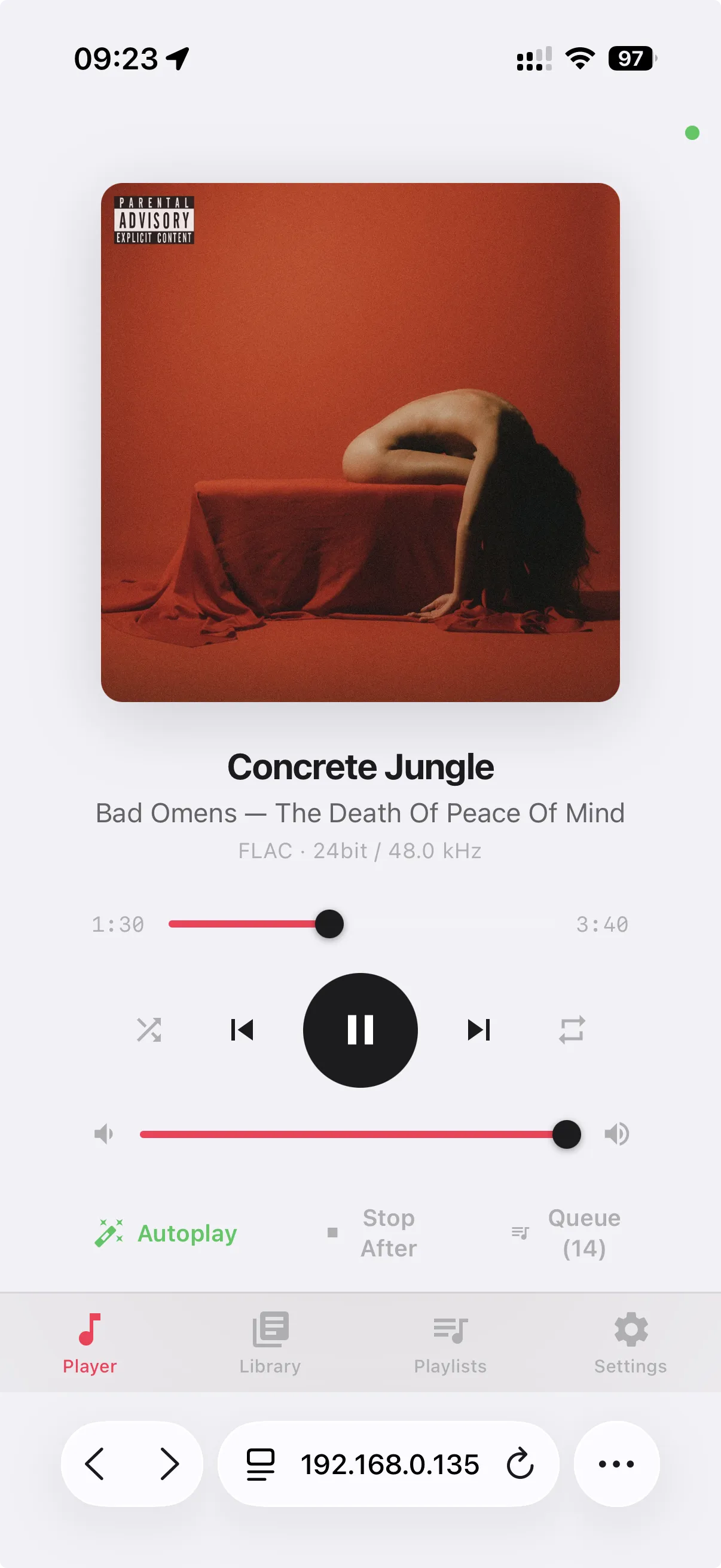
BitMuse includes a built-in web remote. Open it on your phone, tablet, or any browser on your network. Browse your library, manage the queue, adjust volume and effects — without touching your Mac.

  • Works on any device with a browser
  • Full library browsing and search
  • Queue management and DSP controls
  • Automatic light and dark theme
BitMuse Web Remote on iPhone
Library

Every album,
one keystroke away.

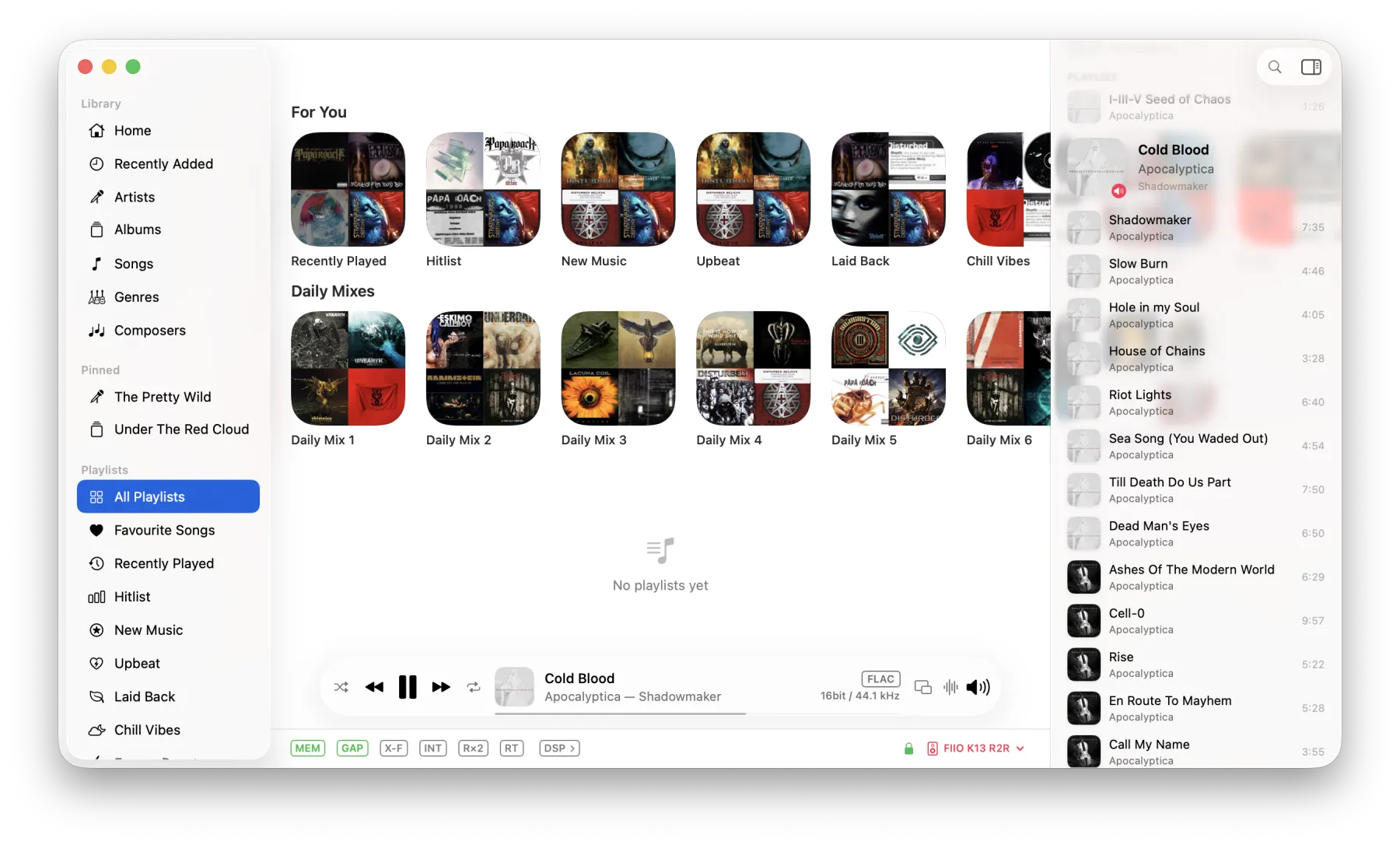
Browse by artists, albums, genres, or folders. Smart playlists that update automatically. Find duplicates across your collection. Star ratings, play counts, and a home dashboard with insights into your listening.

  • File-system folder browser
  • Duplicate detection
  • Focus filters by genre, year, format, rating
  • Home dashboard with library stats
BitMuse library — albums, artists, and smart playlists
Why I built it

I love great sound.
The players, less so.

I've been into high-fidelity audio for a long time — but every music player on the Mac let me down. Some are Electron apps that feel like a website stuffed into a window. Others haven't touched their interface in fifteen years. The rest are expensive and buggy, crashing right when a track matters most.

Nothing felt native, fast, or worthy of the music I'd spent years collecting. So I wrote my own — the player I always wished existed.

— Serhii, maker of BitMuse
Plays everything.

All the formats you care about — including the ones other players skip.

DSD FLAC ALAC AIFF WAV APE WavPack Opus AAC MP3 CUE
0
Audio formats
0+
DSP effects
0+
Headphone profiles
0
Subscriptions

And so much more.

Mini PlayerFloating always-on-top window
CrossfadeSmooth transitions between tracks
Smart PlaylistsAuto-updating playlists from rules
Track BookmarksTimeline markers with color & labels
Now PlayingControl Center & widget integration

See how BitMuse stacks up.

Key differences that matter most.

BitMuse Roon Audirvana JRiver Swinsian
Price $59.95 once $14.99/mo $119.99 $99.98 $34.95
No subscription required Studio: no
Headphone EQ profiles 7,000+ Audeze only
DSP effects (drag & drop) 10+ ~7 Limited
Room correction (convolution)
Native macOS (SwiftUI)
Memory playback

Based on official product pages, March 2026. See full comparison →

Hear the difference yourself — free for 30 days →

One price. Yours forever.

Try everything free for 30 days first — no account, no card.

$59.95
one-time purchase · no subscription
Less than 4 months of Roon — then it’s yours forever.
Current price — rises to $99.95 on September 1.
  • Every feature included — nothing unlocks later
  • All 1.x updates included
  • Full 30-day trial before you pay
Download Free Trial

Frequently asked questions.

Everything you need to know before you download.

No. Playback is bit-perfect by default: what's in the file reaches your DAC untouched. EQ, room correction and the rest of the DSP chain exist, but they only enter the path when you switch them on — and the signal path indicator shows exactly what's active.
The trial is the full app for 30 days. When it ends, nothing is deleted — your library, playlists and settings stay. Buy once to keep listening.
No. $59.95 once. All 1.x updates are included, and there's nothing to cancel because there's nothing recurring.
No. No account for the trial, no account after purchase — a license key by email, and that's it.
Any DAC macOS sees, BitMuse can drive: exclusive (hog) mode, integer mode, automatic sample-rate switching, native DSD over DoP.
Yes. Point it at SMB/NFS folders; watched folders pick up new files automatically while the app runs.
Don't trust it — test it. The trial is the whole app for 30 days, no account, no card. Your ears decide.
Not yet. BitMuse plays your local library — files on your Mac or on a NAS. There is no built-in streaming service integration today.
BitMuse

Download BitMuse.

Try free for 30 days. $59.95 once — no subscription. (Roon: $14.99/mo, forever.)

$59.95 until September 1 — then $99.95.

Download for macOS
Version 1.3.18 · Free 30-day trial · macOS 26+ · Apple Silicon

Compare & learn.

How BitMuse stacks up — and how to get the most out of your gear.